
Holy Bible-Large Print
Bíblia OfflineBooks & Reference
4.91.49K Reviews
- Version
- 2.3
- Installs
- 100.00K
- Age Rating
- Everyone
Screenshots
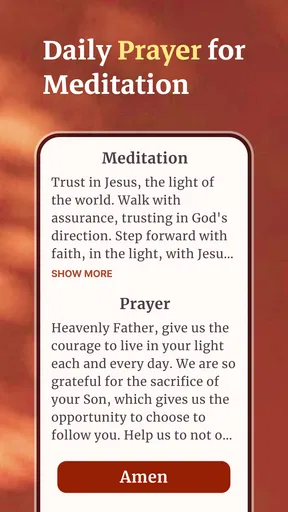
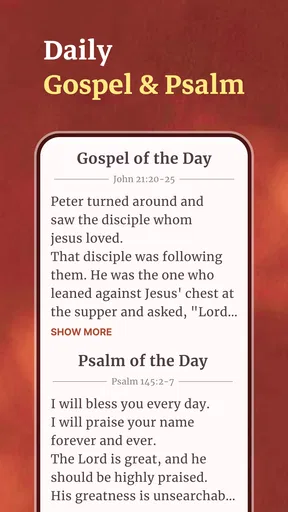
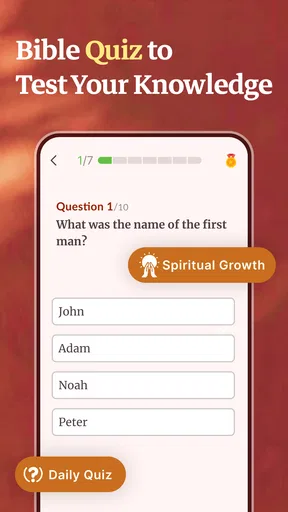
Our Review of Holy Bible-Large Print
 Analysis by Appyee
Reading the Bible on a phone can be surprisingly tiring when the text is cramped, the screen is bright, or an internet connection is unreliable. Holy Bible-Large Print takes a focused approach: it is a free Books & Reference app from Bíblia Offline that puts comfortable reading, audio, offline access, study, and a daily verse in one place. After spending time with it, I found that its most important quality is not the number of extras, but the way large text changes the basic reading experience.
The app is especially easy to understand if you want a Bible that feels less demanding on your eyes. Its store summary points directly to large-print reading, and that emphasis is noticeable in the way I used it. Instead of treating the phone as a tiny replacement for a printed book, it makes the screen more suitable for longer passages. The large-print presentation is the feature that gives this app its identity, while the offline and audio options make that reading style more practical in everyday situations.
Large print is more than a cosmetic setting
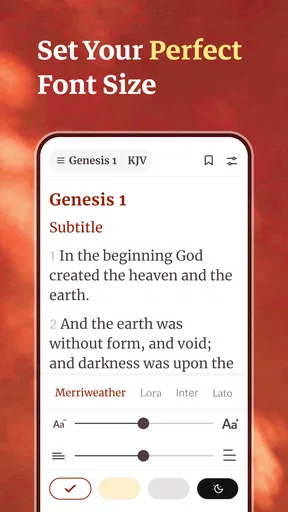
Many reading apps technically let users enlarge text, but that does not always make the result pleasant. Enlarging a page can create awkward line breaks, require more scrolling, and make it harder to keep your place. With Holy Bible-Large Print, the central idea is clearer from the beginning: the Bible should be comfortable to read on a mobile screen, particularly for people who find standard-sized text tiring.
In my experience, larger lettering makes a difference during quiet reading sessions. I can look at a passage without leaning toward the phone or constantly adjusting my distance. That matters for older readers, people with weaker eyesight, and anyone who reads in short breaks when the lighting is not ideal. It also helps when I want to read several chapters rather than check a single verse.
There is a trade-off, of course. Large text means less content fits on the screen, so reading involves more movement through the page. If you prefer seeing an entire passage at once, a compact Bible app or a printed study Bible may feel more efficient. I would not call the larger layout universally better; it is better for comfort, not for maximum information density.
The practical benefit is strongest when the phone is being used as a personal reading tool rather than as a quick reference. For a fast quotation, the larger display may feel slower because fewer lines appear at once. For reflection, prayer, or a chapter read before sleep, the reduced visual strain is much more valuable.
What the reading experience feels like
I see this app as a good fit for readers who want fewer obstacles between opening the Bible and starting a passage. The large-print focus reduces the temptation to pinch, zoom, or repeatedly change display settings. That simplicity is useful for someone who does not enjoy configuring apps, and it can make the experience less frustrating for a family member who is not especially comfortable with smartphones.
The design choice also changes how I use the phone. Rather than treating the Bible like a searchable database, I am more likely to settle into a passage and read it continuously. That is a subtle but important distinction. Search-first apps are excellent when I remember a phrase but not its location. A large-print reader is more appealing when I already know I want to spend time with the text.
The app is rated for Everyone, which makes its straightforward purpose easy to share across a household. It is not presented as a specialized academic tool, and I would not choose it expecting the dense notes, cross-reference systems, or extensive research tools found in some dedicated study platforms. Its strength is the reading moment itself.
Offline access changes where it becomes useful
The offline capability is the second feature that gives the large-print approach real value. A comfortable reading layout is not very helpful if it disappears whenever a connection is weak. With offline access, I can use the app in places where mobile data is inconvenient, unavailable, or something I simply do not want to rely on.
A realistic example is a commute through areas with inconsistent coverage. I can open a passage before leaving, continue reading during the journey, and avoid interrupting the session because a page is waiting to load. The same applies to travel, waiting rooms, outdoor settings, or a quiet room where I want to keep the phone in a low-connectivity mode.
Offline reading also encourages a more dependable routine. If I decide to read in the morning before checking messages, I do not need to make the Bible compete with a slow connection or other online distractions. That makes the app feel more like a stored personal book than a website placed inside a phone.
There is one practical habit I recommend: open the app and make sure the content you want is available before entering a place with poor reception. Offline features are most useful when prepared in advance. Users who expect every piece of content to update automatically may prefer an online-first service, while readers who value reliability will appreciate the independence.
Audio is useful when reading is not convenient
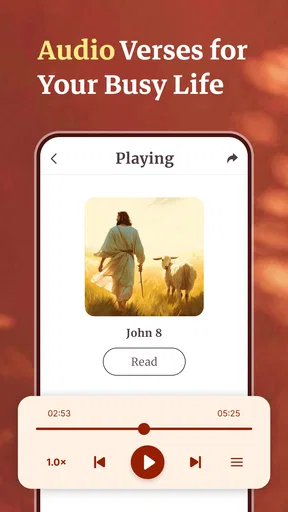
The audio option gives the app another realistic use case. I would not use it as a replacement for the large-print reading experience every time, but it helps when my eyes are occupied or tired. Listening while doing a quiet household task, taking a walk, or resting after a long day can keep a reading routine going when looking at a screen is not appealing.
Audio also works well as a change of pace. Reading slowly encourages me to notice wording and structure, while listening lets the passage unfold without requiring constant visual attention. The two modes serve different purposes, and having both in the same Bible app is more convenient than switching between a text reader and a separate audio service.
Still, audio is not automatically the best option for study. When I want to compare verses, pause over a phrase, or return to an earlier line, text is easier to control. I see audio as an accessibility and convenience feature rather than a complete substitute for reading. People who primarily want sermons, commentary, or a highly adjustable listening experience may need a more specialized application.
How I would use it in daily life
I’d treat this as a practical section about fitting the app into ordinary routines, rather than trying to use every option at once. In my day, the useful choice is matching the format to the moment: text when I can pause and focus, audio when looking at the screen is inconvenient. That small bit of planning also makes it easier to move into the next section on what a calm, repeatable reading routine can look like.
A calm morning routine
My favorite scenario is a short morning reading session. I can open the app, choose a passage, and read without needing a desk, a lamp positioned in a particular way, or a strong connection. The large text makes the phone easier to view before the day becomes busy, while offline access removes one more possible interruption.
For this routine, I would avoid jumping immediately between many tools. I would select one passage, read it at a comfortable pace, and use audio later if I wanted to revisit it while preparing breakfast. This workflow makes the app feel purposeful instead of turning the reading session into a sequence of taps.
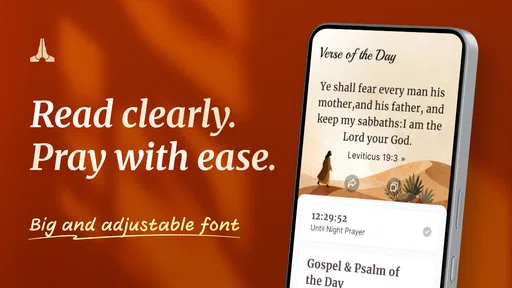
The daily verse feature can support a smaller habit when I do not have time for a full chapter. I would treat it as a starting point rather than a replacement for deeper reading. A single verse can provide a moment of focus, but the larger-print experience becomes more meaningful when I stay with the surrounding passage and its context.
Reading with an older family member
Another strong scenario is sharing the app with someone who struggles with small print. A phone is easier to carry than a large book, and the large-print focus can make the screen less intimidating. I would set up the device in advance, make sure the battery is sufficient, and show the reader only the basic actions needed to open a passage and listen to audio.
This is where the app’s uncomplicated purpose matters. A family member may not want a crowded interface full of study panels, social tools, or unrelated recommendations. Holy Bible-Large Print is more suitable when the goal is simply to read or listen. The age rating of Everyone also makes it comfortable to introduce in a shared family setting.
The limitation is that a phone still has phone-related distractions. Notifications, calls, and other apps can interrupt the experience even when the Bible itself is offline. For a completely distraction-free session, a printed Bible or a dedicated reading device may be better. The app improves access to the text, but it cannot change the wider behavior of a smartphone.
Using it during travel or low-connectivity moments
I would also recommend it for travel preparation. Before leaving, I would open the app and identify the passages I expect to read. Once offline, I could continue without treating connectivity as part of the reading plan. That makes the app practical for flights, rural trips, underground transport, and other situations where online services are less dependable.
The audio feature is particularly useful here, although I would be mindful of battery use and headphones in public places. Text is the safer choice when I need to remain aware of my surroundings. Audio works best when the setting allows attention to shift away from the screen without creating a safety problem.
Study without confusing comfort with depth
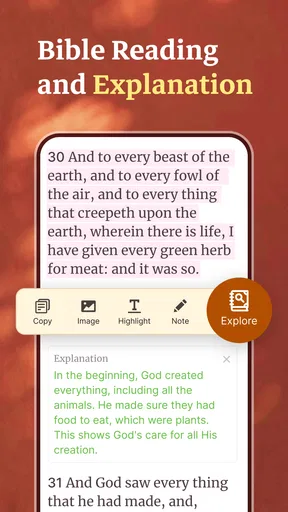
The app includes offline study in its store summary, but I would keep my expectations realistic. For personal reading, the combination of large text and stored access is valuable. For detailed theological research, language comparison, extensive annotations, or scholarly cross-referencing, a dedicated study Bible or specialist reference tool is likely to be more capable.
That distinction is important because “study” can mean different things. If study means reading carefully, revisiting a passage, and building a consistent routine, this app supports it well. If study means consulting many layers of commentary and original-language resources, I would use another tool alongside it. Holy Bible-Large Print is strongest as a readable foundation, not as an all-purpose research library.
Where it fits among Bible apps
The usual alternatives fall into a few groups. Some focus on search and navigation, some on community and devotional plans, and others on scholarly notes. Holy Bible-Large Print sits closer to the reading-and-accessibility side. Its appeal is not that it tries to replace every type of Bible software, but that it makes the core text easier to approach on a phone.
Compared with a printed Bible, it is lighter, easier to carry, and able to provide audio. The printed option still wins for a screen-free experience, page familiarity, and freedom from notifications. Compared with a general e-book reader, this app is more directly shaped around Bible reading rather than broad book management. Compared with an online Bible service, its offline emphasis is more reassuring when connectivity is uncertain.
Compared with a feature-heavy study app, it may feel limited to users who want extensive tools. That is not necessarily a weakness for everyone. A crowded interface can make a simple reading goal harder to achieve. I would choose this app when comfort and availability matter more than advanced research, and I would choose a richer platform when I need detailed comparison or structured study materials.
The developer, Bíblia Offline, has positioned the app around access without a constant connection. That focus gives the product a coherent personality. I prefer this kind of clear purpose to an app that includes many unrelated functions but makes its main reading experience difficult to use.
Important trade-offs before installing
The first trade-off is screen density. Large print is easier on the eyes, but it requires more scrolling. Readers with excellent eyesight who want to scan many verses quickly may find the format less efficient. I would not install it solely because larger text sounds attractive; I would install it because I actually value reduced strain during sustained reading.
The second is the difference between convenience and customization. The app’s appeal comes from a focused reading experience, while users who want to adjust every visual detail or organize a large personal library may prefer a more configurable reader. If extensive personalization is central to your habits, check whether the available presentation suits you before making it your main Bible app.
The third is the boundary between offline access and synchronization. Offline reading is excellent for independence, but people who move constantly between devices or expect every note and activity to follow them may prefer a service designed around connected accounts. I would use this app confidently as a dependable reader, but I would not assume that it replaces every cloud-based workflow.
Audio also has a natural limitation: listening is less precise than reading when I need to inspect a specific sentence. I would use audio for continuity and accessibility, then return to the text for close attention. That combination is more effective than insisting on one mode for every situation.
Finally, the app is free, which removes the financial barrier for trying it. That is welcome, especially for a basic reference tool. Even so, “free” does not mean it will match every reader’s preferred translation, layout, or study method. The right question is whether its large-print, offline-centered approach matches the way you actually use a Bible.
Who will gain the most from it
I think the strongest audience is made up of readers who want a Bible on their phone but dislike small text and unreliable access. Older adults, people with visual fatigue, travelers, and readers building a simple daily habit all have clear reasons to consider it. The combination of large print and offline availability solves a practical problem rather than adding decoration.
It is also a good secondary Bible app for someone who already owns a feature-rich study platform. I can imagine keeping a research-oriented app for detailed work and using this one when I want clean, comfortable reading. The two purposes do not conflict: one supports investigation, while the other supports regular contact with the text.
Users who should skip it are those who mainly want community features, elaborate reading plans, advanced note systems, or a deep collection of scholarly references. They may find a broader Bible platform more suitable. I would also steer screen-averse readers toward a printed Bible, since even a well-designed large-print app still depends on a phone.
The app has earned a 4.9 average from around 4.8 thousand ratings, with more than 50 thousand installs, so it has already attracted a meaningful audience for this focused approach. It is free, runs on Android 7.0 or later, and is currently at version 1.6. Those details make it easy to try on compatible devices without committing money, while the Everyone rating keeps its intended audience broad.
My final view is positive, but specific: I recommend Holy Bible-Large Print when the main obstacle is making Bible reading comfortable and dependable on a phone. The large text has a real effect on longer sessions, offline access makes the habit less fragile, and audio gives useful flexibility when reading is inconvenient. It is not the best choice for advanced research or a completely distraction-free experience, but for accessible everyday reading, it has a clear purpose and follows through on it.
Privacy and Permissions
See what permissions an app requests and how it handles your data.
- Identity
- find accounts on the device
- Contacts
- find accounts on the device
- Phone
- read phone status and identity
- Photos/Media/Files
- read the contents of your USB storage, modify or delete the contents of your USB storage
- Storage
- read the contents of your USB storage, modify or delete the contents of your USB storage
- Wi-Fi connection information
- view Wi-Fi connections
- Device ID & call information
- read phone status and identity
- Other
- view network connections, create accounts and set passwords, full network access, read sync settings, run at startup, set wallpaper, draw over other apps, control vibration, prevent device from sleeping, toggle sync on and off, Google Play license check
Verdict
Strengths of Holy Bible-Large Print
- Large, readable text is comfortable for users with vision difficulties.
- Quick access to familiar books, chapters, and verses.
- Useful for daily reading, study, prayer, or church preparation.
- Works well for users who prefer a simple Bible-focused app.
- Portable alternative to carrying a large-print physical Bible.
Limitations of Holy Bible-Large Print
- Large-print pages may require more scrolling on smaller phone screens.
- The app may use considerable storage depending on included Bible content.
- Some features or translations may require an internet connection.
- Reading options can vary depending on the selected Bible version.
- Ads or upgrade prompts may interrupt reading in the free version.
Other Releases by Bíblia Offline
View All
Bible Offline-KJV Holy Bible
Books & Reference4.9

Bible-Daily Bible Verse
Books & Reference4.8

Oremus - Catholic Bible&Prayer
Books & Reference4.9

Bible For Women-Holy Bible KJV
Books & Reference4.9
Similar Picks in This Category
View All
Google Play Books & Audiobooks
Google LLC4.7

네이버 - NAVER
NAVER Corp.3.5

Wattpad - Read & Write Stories
Wattpad.com3.7

King James Bible - Verse+Audio
Ozion4.8
Bible Offline-KJV Holy Bible
Bíblia Offline4.9

Amazon Kindle: Reading App
Amazon Mobile LLC4.8
Frequently Asked Questions
What is Holy Bible-Large Print, and who is it designed for?
Holy Bible-Large Print is a Bible-reading app focused on making Scripture easier to read on a mobile device. Its enlarged text is especially useful for older readers, people with visual difficulties, or anyone who prefers a more comfortable reading experience. It can also be helpful during personal study, church services, prayer time, or daily devotional reading.
Does Holy Bible-Large Print include the complete Bible?
The app is intended to provide access to the Bible in a large-print format, but the exact books, translation, and available editions can vary depending on the version installed and the developer’s current content. Before downloading, users should check the app listing for details about the Old and New Testaments, supported languages, and whether all Scripture content is included.
Can I adjust the text size and reading appearance?
Large-print reading is the app’s main purpose, so the text is generally presented in a clearer and more spacious format than in a standard Bible app. However, customization options such as additional font-size controls, screen brightness, themes, or night mode may differ by version. Users who need highly flexible display settings should review the available options after installation.
Does Holy Bible-Large Print work without an internet connection?
Offline access depends on how the app stores its Bible content. Some versions allow Scripture to be read without an internet connection after installation, while others may require connectivity for loading pages, advertisements, or additional features. If offline reading is important to you, check the app’s description and test it in airplane mode before relying on it for travel or church use.
Is Holy Bible-Large Print free to download and safe to use?
The app may be available as a free download, although its business model can include advertisements, optional purchases, or other limitations. As with any mobile application, download it through a trusted Android or iOS store and review the requested permissions, developer information, privacy policy, and recent user feedback. Avoid unofficial copies that could contain altered or unsafe files.
